Find and compare PA programs
Search active catalog listings, save schools, and sort them using explained preference-fit and reported-requirement checks.
Powered by PA School Finder dataAPPLICANT TOOLKIT · BETA
Explore programs on PA School Finder. Understand your fit with Match AI. Build your application plan here—with your coursework, experience, schools, and next steps in one private workspace.
Built by The PA Life + PA School Finder.
A little progress, every day.
YOUR PRIVATE APPLICATION WORKSPACE
Sign in or create your PA Life Toolkit account.
Development sign-in · This is a test environment, not the public launch. Use fictional information while testing.
Opening a recommendation request? Use the email address that received your invitation.
Continue when you’re ready. Workspace access is checked separately from sign-in.
Continue to my ToolkitYour Toolkit account keeps your workspace separate from other applicants. Creating an account does not change any existing Match or Maya purchases.
Starter is free with your verified account. Qualifying Match AI purchases can claim Plus; standalone renewal and AI Boost checkout are not open yet. Start with minimal information and read the guide, privacy & limitations before entering your plan.
Source-tracked program data, explainable planning checks, and one private place to build your application.
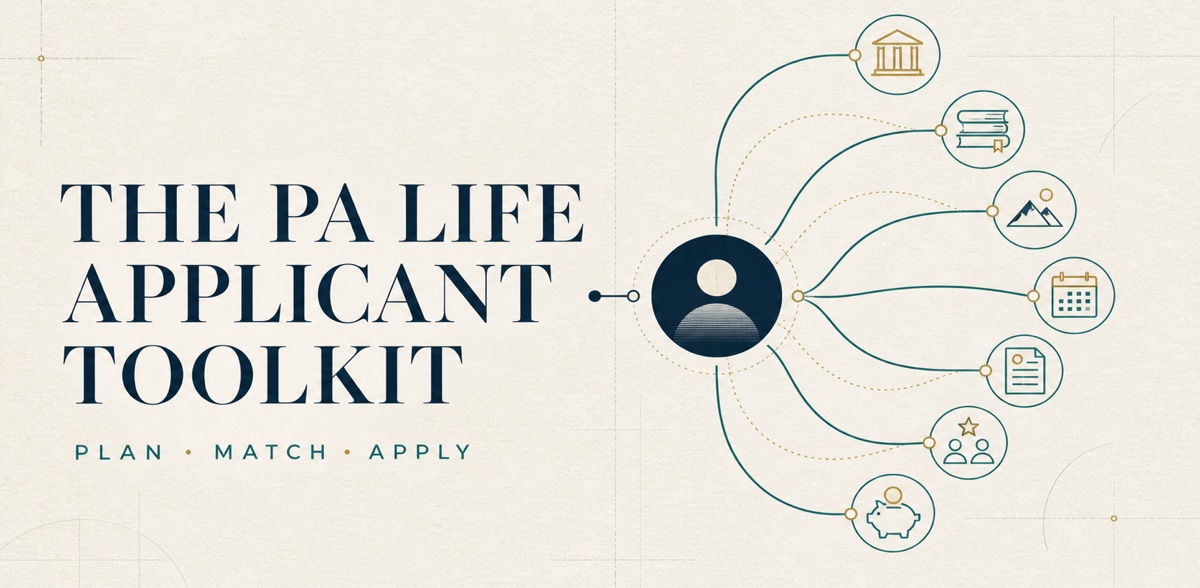
ONE PROFILE. EVERY TOOL CONNECTED.
Add your goals, coursework, experiences, preferences, and test plans once. The Toolkit turns those facts into a school list, GPA picture, résumé foundation, timeline, recommendation plan, and application budget that move forward together.
YOUR APPLICATION COMMAND CENTER
Each workspace uses the same saved applicant facts, so progress in one part of the Toolkit can make the rest of your plan more useful.
Search active catalog listings, save schools, and sort them using explained preference-fit and reported-requirement checks.
Powered by PA School Finder dataReview listed GPA, patient-care, and testing checks alongside unknown information and the next gaps worth addressing.
Planning signals—not acceptance oddsMap reviewed coursework to prerequisite subjects and see six CASPA-style GPA estimates without confusing them for official CASPA verification.
Coursework and GPA in one ledgerLog PCE, HCE, shadowing, volunteering, research, and work—then use those saved facts to build a polished pre-PA résumé.
Your résumé starts building itselfPlan the GRE, PA-CAT, and CASPer, compare intended test dates with listed deadlines, organize tasks, and export a calendar snapshot.
One view of what is coming nextEstimate application-cycle costs, compare them with savings, organize references, and prepare reviewed résumé, bio, and achievement packets.
Financial and reference planning, connectedTHE PA SCHOOL FINDER DATA ADVANTAGE
The Toolkit uses PA School Finder’s maintained, versioned program catalog to help you search, sort, and compare hundreds of PA programs. New snapshots are validated before they replace the prior catalog, school identities are preserved as records change, and missing information stays visibly unknown instead of being guessed.
Source dates do not verify every individual field. Requirements can change; always confirm current accreditation, deadlines, prerequisites, fees, and testing policies with each program and ARC-PA.
HOW AN EXPLAINED MATCH IS BUILT
THE CONNECTED INTELLIGENCE LAYER
AI features are being introduced carefully. Your saved plan remains the source of context, you choose when information is shared, and proposed imports require review before they change anything.
When enabled in your account, share selected planning context with OpenAI after explicit consent and ask what to work on next. Your manual plan and explained school matches work without it. Included usage is limited.
When enabled, submit a redacted transcript or résumé for AI-assisted extraction. Review the proposed entries before applying anything to your portfolio. Manual entry is always available during active access.
Deeper Maya interview personalization, source-verified program change alerts, and synchronized PA Life tools are the next phase—not active promises in the core beta.
FROM “WHERE DO I START?” TO “I KNOW MY NEXT MOVE.”
Use the guided profile to add your cycle, academics, experiences, preferences, and testing plans. Nothing saves until you review it.
Search, filter, and save programs from the current PA School Finder catalog.
As you add courses, hours, and test plans, your GPA estimates, match checks, résumé, and next steps become more complete.
Organize deadlines, expected costs, documents, and recommendation preparation from one connected workspace.
THE PA LIFE ECOSYSTEM
The Toolkit can keep your core application plan together while connecting you to trusted PA Life resources. These links are available today; deeper data synchronization is planned, not active.
ONE CONNECTED APPLICATION WORKSPACE
Your schools, your experience, your application plan.
Choose the support that fits where you are today.
Get organized, explore schools, and start building your application.
A practical starting point. No payment required.
Start freeConnect your school list, coursework, deadlines, and next steps.
One payment. No automatic renewal.
Start Match AI + PlusAI support included20 advisor attempts + 2 document imports
every 30 days while Plus is active
Introductory bundle through the existing PA School Finder Match AI purchase. Return to the Toolkit to claim Plus with your checkout email.
You may already have Plus. Check your included access before buying again.
Qualifying Match AI payments begin September 3, 2026 at 7:40 a.m. PDT. Earlier purchases keep their original terms and do not automatically include this offer.
Sign in with the email on your Stripe receipt. It may differ from the optional “Email my results” address. If they differ, contact stephen@thepalife.com before buying again.
Both plans use the same applicant foundation. Plus adds deeper planning and guided support.
| What you can do | StarterFree | Plus$29.99 / 12 months |
|---|---|---|
| Your applicant foundationProfile, manual courses & GPA estimates, experience log | Included | Included |
| Program browsingSearch active listings and read recorded program facts | Included | Included |
| Saved schoolsKeep your shortlist together | Up to 3 | Up to 50 |
| School matchingUnderstand your reported-requirement fit | Basic fit for 3 saved schools | Full-catalog matches |
| Prerequisite planningGo from requirements to your coursework plan | Read recorded prerequisites | Map coursework & compare |
| Dates & deadlinesKnow what comes next | Deadline view | Calendar planning & export |
| Your résuméTurn your experience into an application asset | Automatic text preview | Preview + résumé editing |
| Application workspacesBudget and recommendation planning | Not included | Included |
| AI advisorIncluded provider attempts per 30 days | Not included | 20 attempts |
| AI document importsIncluded provider attempts per 30 days | Not included | 2 imports |
Manual planning, GPA calculations, rule-based matches, and reviewed Match-profile import do not use AI attempts. Maya voice practice is separate; program-change alerts are not included.
The important details, without the fine print.
Use PA School Finder to explore programs. Match AI provides your report. The Toolkit is your ongoing workspace for turning your school list and applicant profile into an application plan.
A qualifying $29.99 Match AI purchase includes the report and 12 calendar months of Plus from payment. Complete the existing Match purchase, then return and claim access with your verified checkout email. Your original report and re-runs are unchanged. Claiming access does not import or overwrite your Toolkit data.
No. This is one payment for 12 months, with no automatic renewal or AI overage charges. Standalone Toolkit renewal and AI Boost checkout are not open yet. Qualifying Match purchase claims are open.
Your saved data is preserved and Starter stays available. Plus-only planning tools and AI access require active Plus. Starter basic fit and deadline tools cover up to 3 saved schools; additional saved schools are kept, not deleted.
The new Plus bundle includes 20 advisor attempts and 2 document import attempts per 30 days while Plus is active. Included attempts reset and do not roll over. Provider attempts count even if they fail; reopening a completed answer does not use another attempt. Daily and service-wide safeguards also apply.
Manual planning, GPA calculations, rule-based matches, and reviewed Match-profile import do not consume AI attempts. Existing beta and legacy access may have different allowances; your account shows the applicable limits. AI answers and document proposals need your review.
Renewal and AI Boost checkout remain closed while testing continues. They are not additional membership tiers. The existing renewal price is $29.99 for 12 more months; renewal does not reset used AI attempts or purchase another Match report.
The optional $4.99 boost adds 30 advisor attempts and 3 document imports when its checkout opens. Boost attempts carry over and require active Plus; included attempts are used first. A boost does not extend your membership or add Maya minutes. A full refund revokes remaining boost credits.
Contact stephen@thepalife.com for receipt-email mismatches, access questions, failed-run review, or refund requests. A full refund removes the associated access; disputed payments may suspend it.
SMART PLANNING. CLEAR BOUNDARIES.
The Applicant Toolkit provides planning estimates, not admissions decisions. Match stages are not acceptance probabilities. GPA calculations are not official CASPA-verified GPAs, and course mappings do not prove prerequisite equivalency.
YOUR APPLICATION DESERVES ONE CLEAR PLAN.
Stop managing school lists, GPAs, experience hours, deadlines, documents, and costs in separate places. Give every decision the context of your whole application.
Create my free account Your plan and feature access are checked after secure sign-in.